
Packages
Packages in the sidebar (⌘6) lists what the repositories you follow publish to the registry of their own service: npm, NuGet, Maven, RubyGems, PyPI and Composer packages, container images, Helm charts and more, from GitHub Packages, the GitLab package and container registries, and Azure Artifacts feeds. Pullwatch reads them once a day with the version check, and again with Check all (⌘R in this section). Dependencies shows what a repository uses; Packages shows what it publishes.
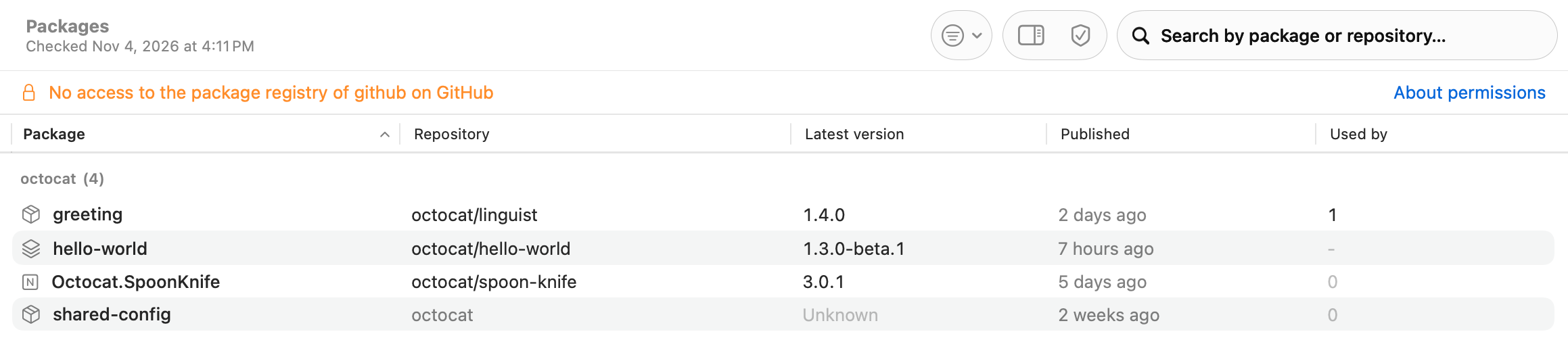
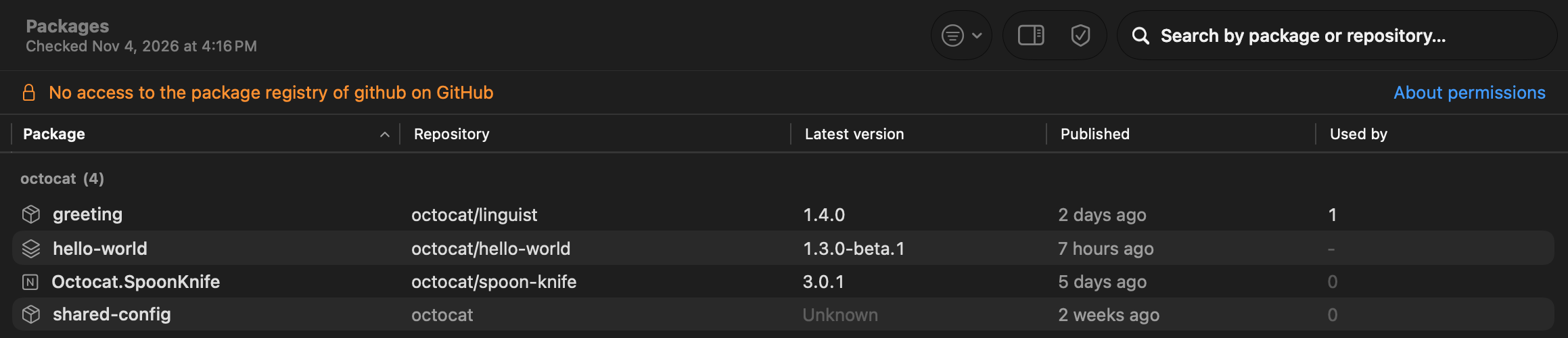
One row per package
Section titled “One row per package”Each package has one row, grouped by owner (the user, organization or group, or for Azure Artifacts the project of the feed), not one row per version. The columns, each sortable:
- Package: the name, with the logo of its ecosystem (npm, container images, Docker, NuGet, Maven, RubyGems, PyPI, Helm, Composer, Conan, Go, Terraform, and Rust for Cargo), or a symbol for a generic or Universal package.
- Repository: the repository that publishes it, in full (
octocat/linguist). A package that is not tied to a repository, such as one in an Azure Artifacts feed, shows its owner in grey. - Latest version and Published: the newest version and when it was published.
- Used by: how many of the repositories you follow depend on it, from the dependency check. A container image or Helm chart shows “-”: the check does not recognise those as dependencies yet, so the number is unknown, never zero.
The search field finds a package by its name, by the repository that publishes it, or by a repository that uses it. The Kind menu in the toolbar shows only one type, such as npm or Container image.
The inspector
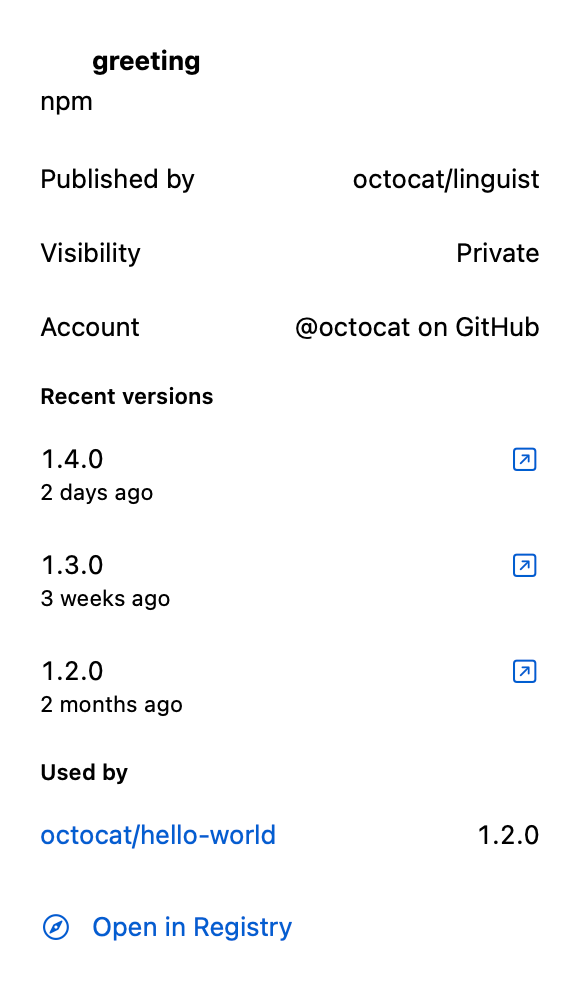
Section titled “The inspector”Select a package to see in the inspector who publishes it, its visibility, the account and:
- Recent versions, newest first, each with its date, the tag it came from (which opens Tags and Releases for that repository), the run or pipeline that published it, and its page in the registry.
- Used by: each repository that uses the package, with its versions: green when it is on the latest version, orange when it is behind, and Only through other packages when it only comes in through another package. Click a repository to open its page.
- Open in Registry opens the package’s page in the registry. ⌘O does the same for the selected package.
Pullwatch shows no download counts or full histories: the registry’s own page has those.
On a repository page, the Overview tab has a line Publishes with the names and latest versions of what that repository publishes. It opens Packages with only that repository’s packages, until you choose Show All.
When the section is empty
Section titled “When the section is empty”- Not checked yet: no version check has run since the section came. Choose Check all.
- “Not checked: source Package registries of your accounts is off”: the source is off under Settings, Sources. Open Sources takes you there.
- No access to the registry: none of your accounts may read its package registry. Each account is listed with what it needs, and About permissions leads to Token permissions.
- No packages: the repositories you follow publish nothing to the registry of their service.
When some accounts can read their registry and one cannot, an orange line above the table says so (“No access to the package registry of github on GitHub”), with the reason in its tooltip and About permissions next to it.
What to grant
Section titled “What to grant”Pullwatch only reads. An account without access says so; the rest of Pullwatch keeps working.
| Service | What it needs |
|---|---|
| GitHub, signed in with GitHub | the GitHub CLI: GitHub refuses packages to every GitHub App, so Pullwatch reads them with gh. Turn on Read packages with the GitHub CLI in the account editor (on by itself when gh is logged in) and give gh the scope with gh auth refresh -h github.com -s read:packages |
GitHub, with gh or a classic token |
the read:packages scope (gh auth refresh -s read:packages) |
| GitLab | read_api, which Pullwatch already needs |
| Azure DevOps, with a token | Packaging (Read) |
Azure DevOps, with az |
the Feed Reader role on the feed, or a token with Packaging (Read) |
Bitbucket, Codeberg, Forgejo and Gitea are not read for packages. See Token permissions for every scope.
A notification for a new version
Section titled “A notification for a new version”Settings, Notifications, New versions of your own packages tells you when a package that a followed repository publishes has a new latest version: “New version of greeting”, with the repository and “Version 1.4.0 published”. It is off by default. It comes after the daily check, one per package whose latest version changed since the check before, quietly, in Notification Center only. A first check and a new package stay silent. Clicking it opens Packages, searched on that package.
In-house dependencies
Section titled “In-house dependencies”When a repository you follow depends on a package another followed repository publishes, the dependency check takes its latest version from your own registry instead of the public one, and the package says In-house. See In-house packages.